


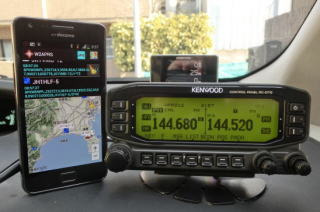
W2APRS was a free Android application created by JA7UDE. It received WAYPOINT data generated by an APRS-capable radio and displayed the stations heard by the transceiver on a map.
In 2017 I tested W2APRS with a Kenwood TH-D72 connected through USB OTG to a TECLAST X98 PRO tablet running Android 5.1. I also documented the serial/waypoint setup for the Kenwood TM-D710.
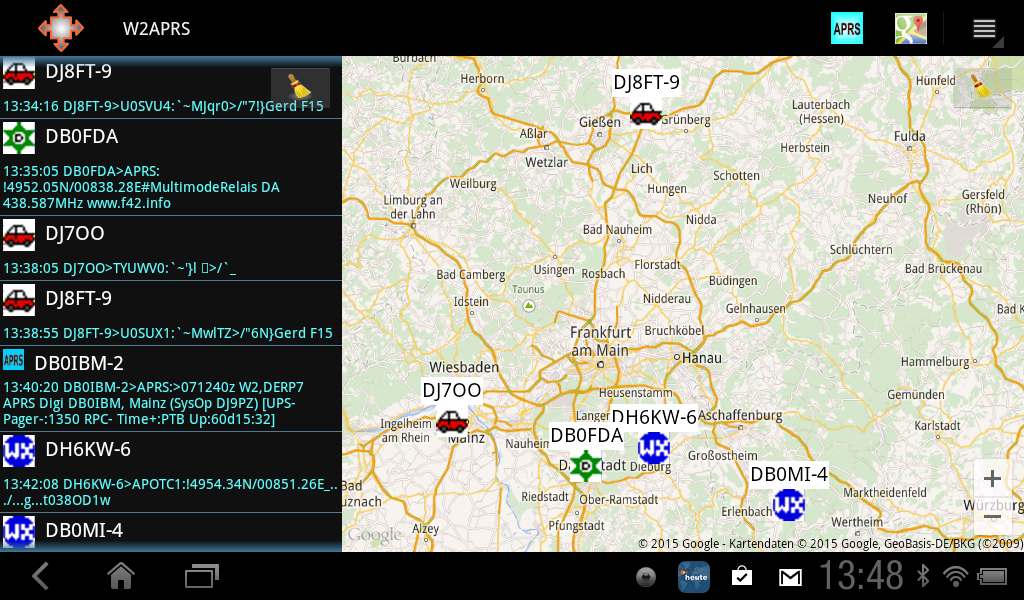
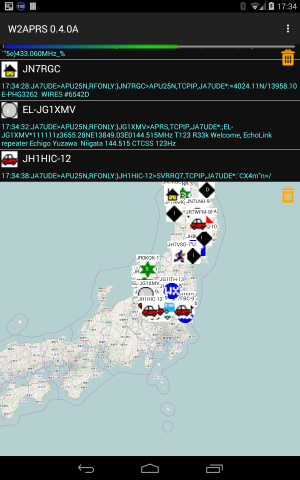
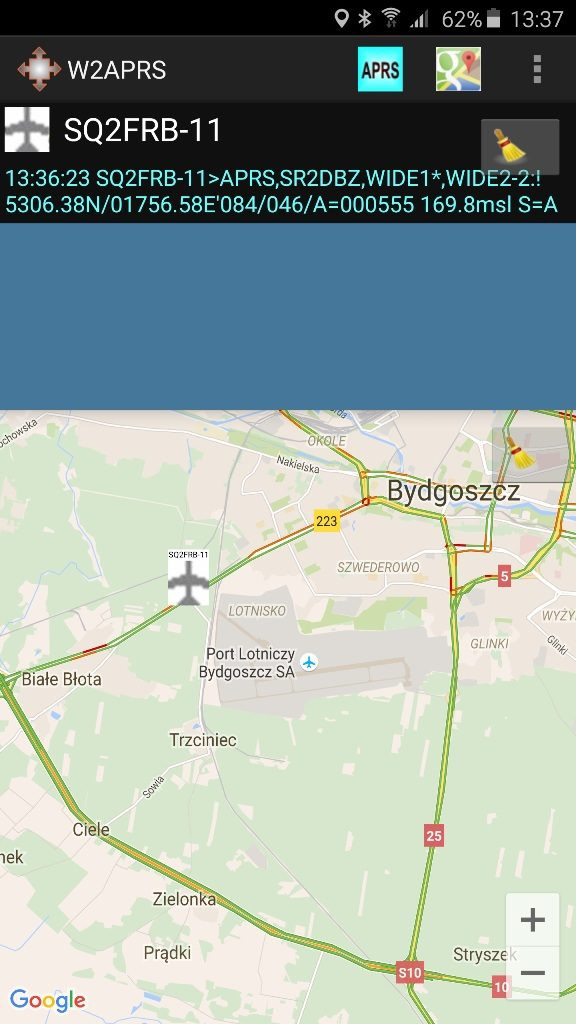
The original documentation listed radios including the Kenwood TM-D710, TH-D72 and TH-D74, Yaesu FTM-400D and FT-1D, and Icom IC-2828DG and ID-92. This is retained as a 2017 historical compatibility list, not a guarantee for current Android devices.
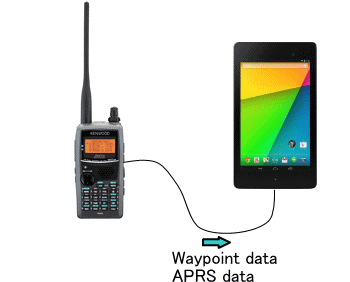
Original TM-D710 setup for W2APRS
The useful part of the original guide is the radio-side setup required to output Kenwood WAYPOINT data. Those settings also help explain what a modern application needs when using the Kenwood GPS/waypoint interface.
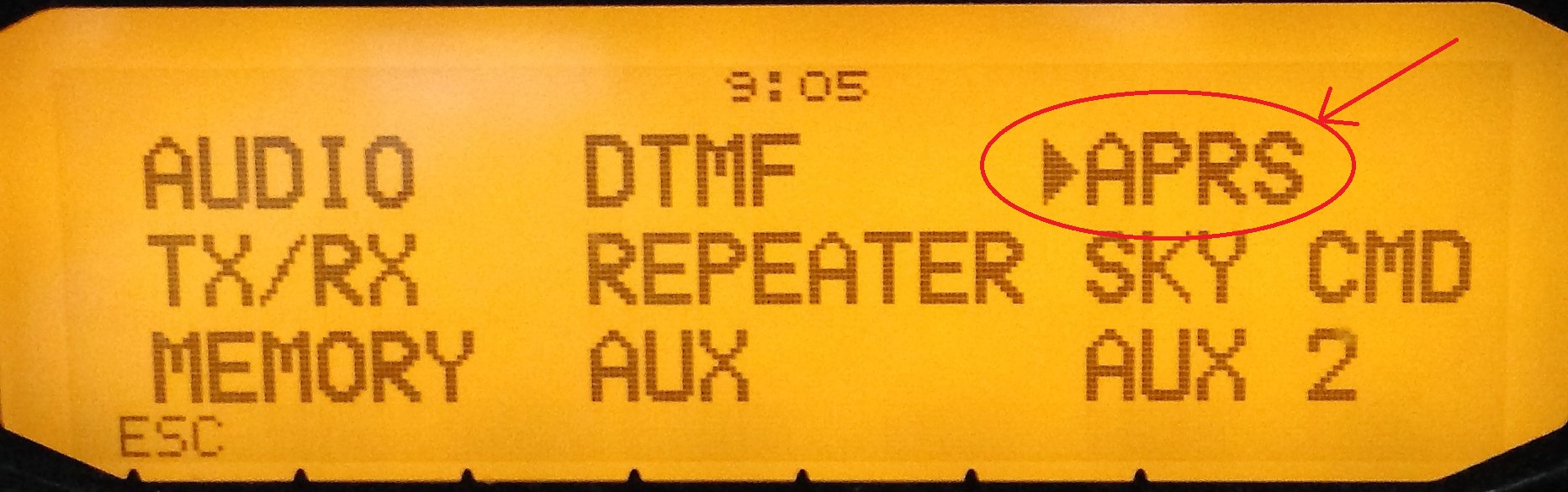
Open the APRS menu
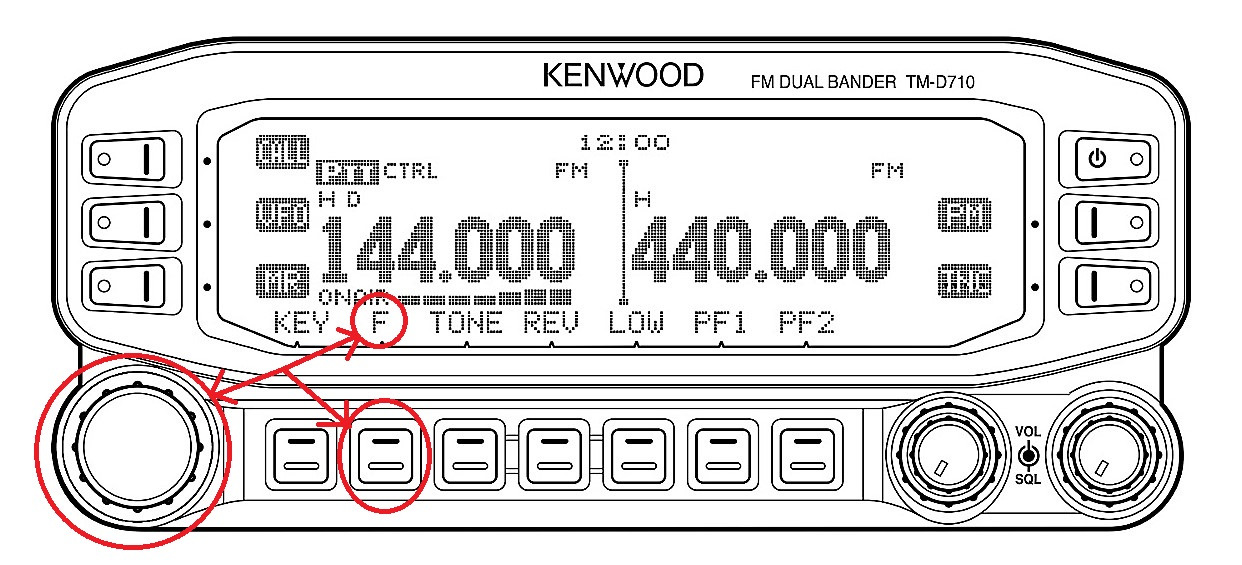
Press [F] and then the tuning dial, enter the main menu and select APRS.
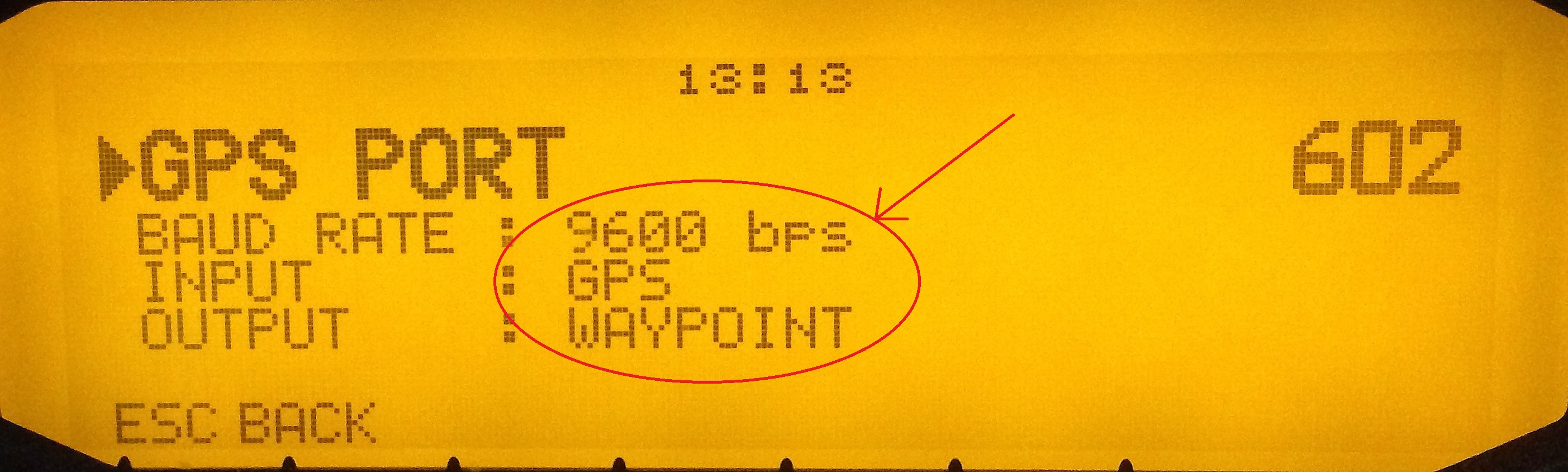
Menu 602 · GPS / WAYPOINT
The original setup used BAUD RATE 9600 bps, INPUT: GPS and OUTPUT: WAYPOINT so the radio could exchange position data through its GPS/serial port.
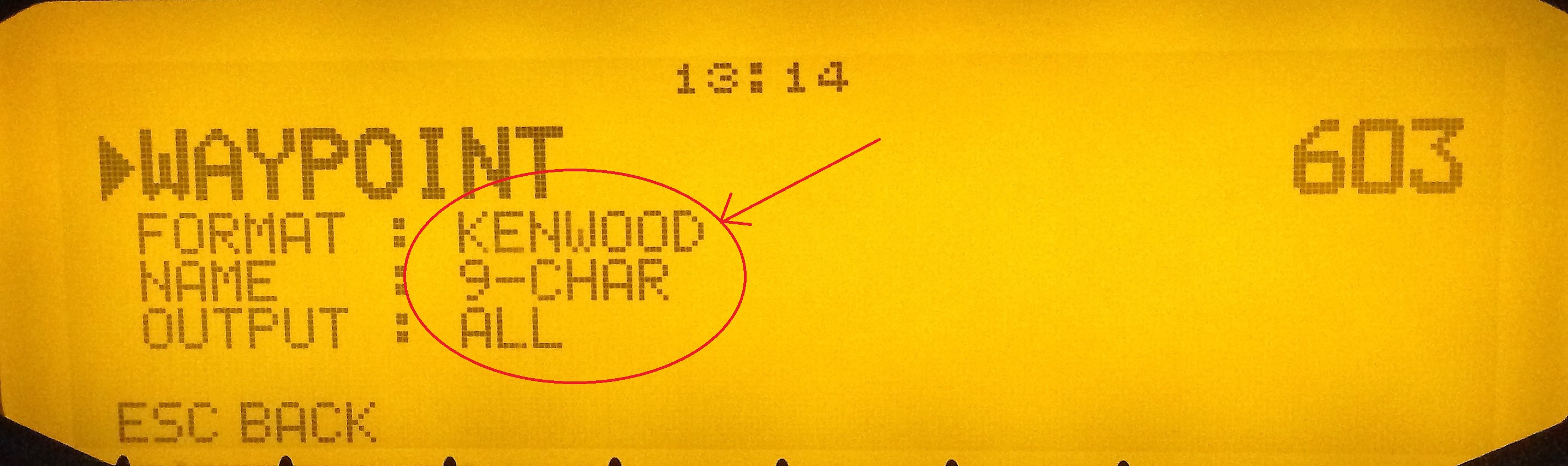
Menu 603 · Format
Set FORMAT: KENWOOD, NAME: 9-CHAR and OUTPUT: ALL.
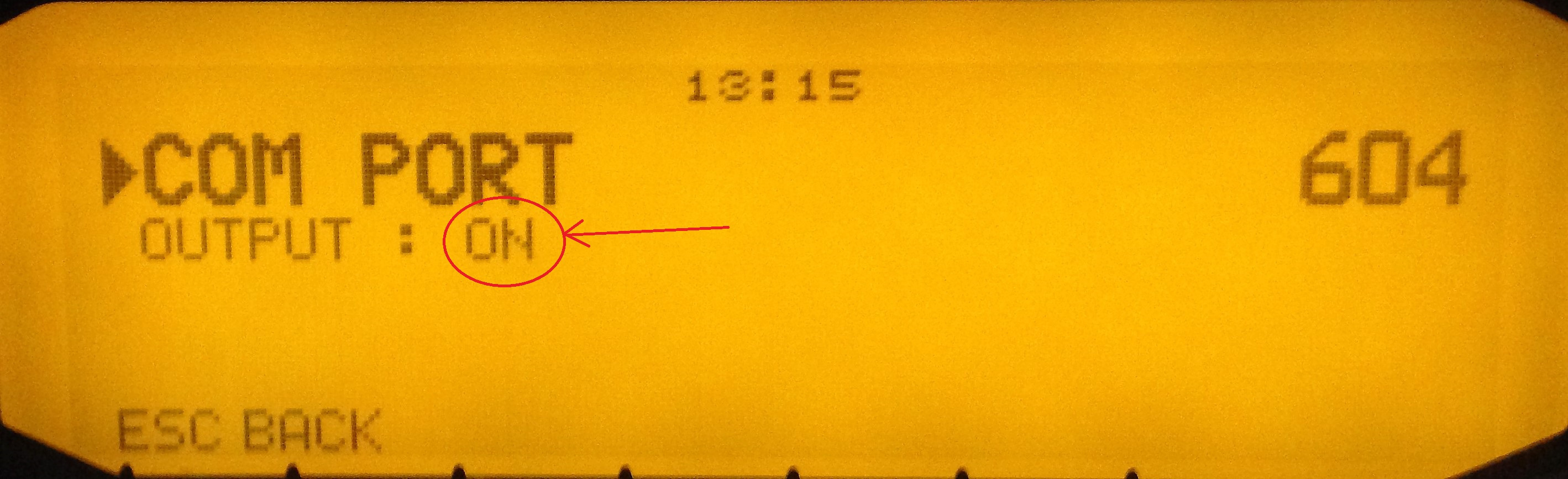
Menu 604 · Output
Set OUTPUT: ON.
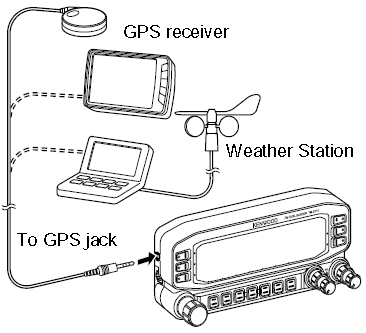
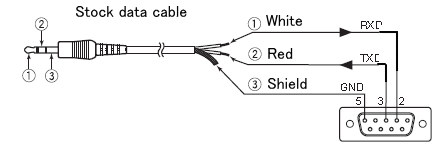
Cabling used in 2017
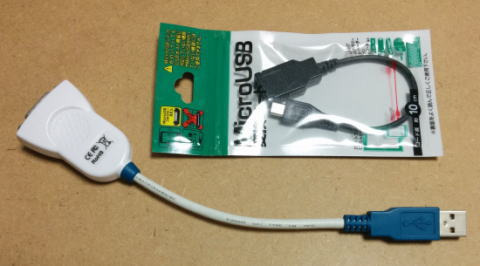
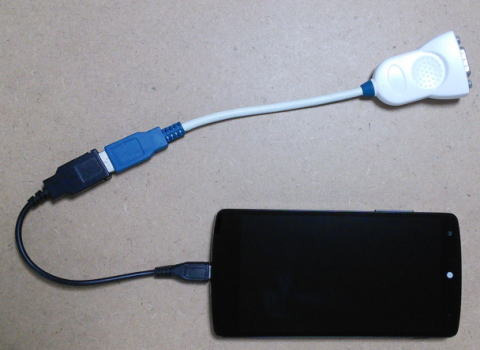
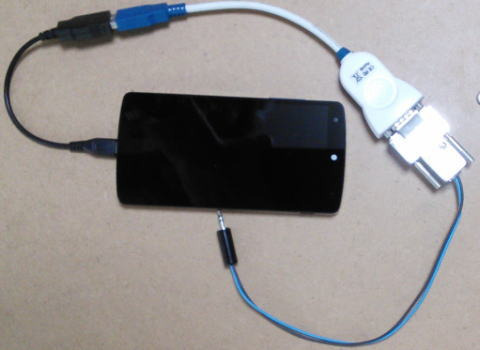
The original setup used the 2.5 mm COM port on the control head, a stereo mini-jack to RS-232 cable, an RS-232/USB converter —FTDI in my setup— and a USB-OTG adapter for the Android device.
Current alternative: APRSdroid
For a current Android installation, APRSdroid is a better starting point because it remains an open project with official documentation and downloads. It supports APRS-IS, AFSK audio, Bluetooth serial and other interfaces, and it includes a dedicated Kenwood D7x0 GPS mode.
Official APRSdroid website (opens in a new tab) Official downloads (opens in a new tab)
In Kenwood GPS port mode, APRSdroid can provide GPS data to a Kenwood D7x0 and display positions received by the radio on the Android device. The official documentation recommends a Bluetooth-to-RS232 adapter connected to the 2.5 mm GPS port, selecting Connection Type: Kenwood GPS port in APRSdroid, and configuring the radio to output WAYPOINT data in KENWOOD 9-character format.
APRSdroid also includes USB-serial TNC support, but that is a different interface from Kenwood GPS mode. Do not assume that the exact W2APRS USB cable chain from 2017 will work unchanged on every modern phone: USB-OTG support, converter chipsets and Android restrictions vary by device.
Frequently asked questions
Is W2APRS still available to download?
The official download link used in 2017 is no longer working, and this website does not offer APK files obtained from unverified third-party mirrors.
What current alternative is suggested?
APRSdroid is a current Android alternative. This article links only to the project’s official documentation and download sources.
Does APRSdroid’s Kenwood GPS mode provide every APRS feature?
No. In that mode APRSdroid documentation mainly describes receiving and displaying callsigns and positions from a Kenwood radio; other APRSdroid features require different connection methods.
Will any Android phone or tablet work over USB?
Not necessarily. Compatibility depends on USB Host/OTG support, the adapter, drivers and the chosen connection method. Test the exact combination before preparing permanent cabling.